
How to Manage Multiple Meta Ad Accounts at Scale
Last updated: Febuary 10, 2026
Reading time: 18 min
How to Manage Multiple Meta Ad Accounts at Scale
(Without Living in Ads Manager)
Practical notes from teams actually running multiple Meta ad accounts — no buzzwords, no hype.
Why this problem shows up sooner than expected
Managing one Meta ad account is straightforward.
Managing many is where things quietly break.
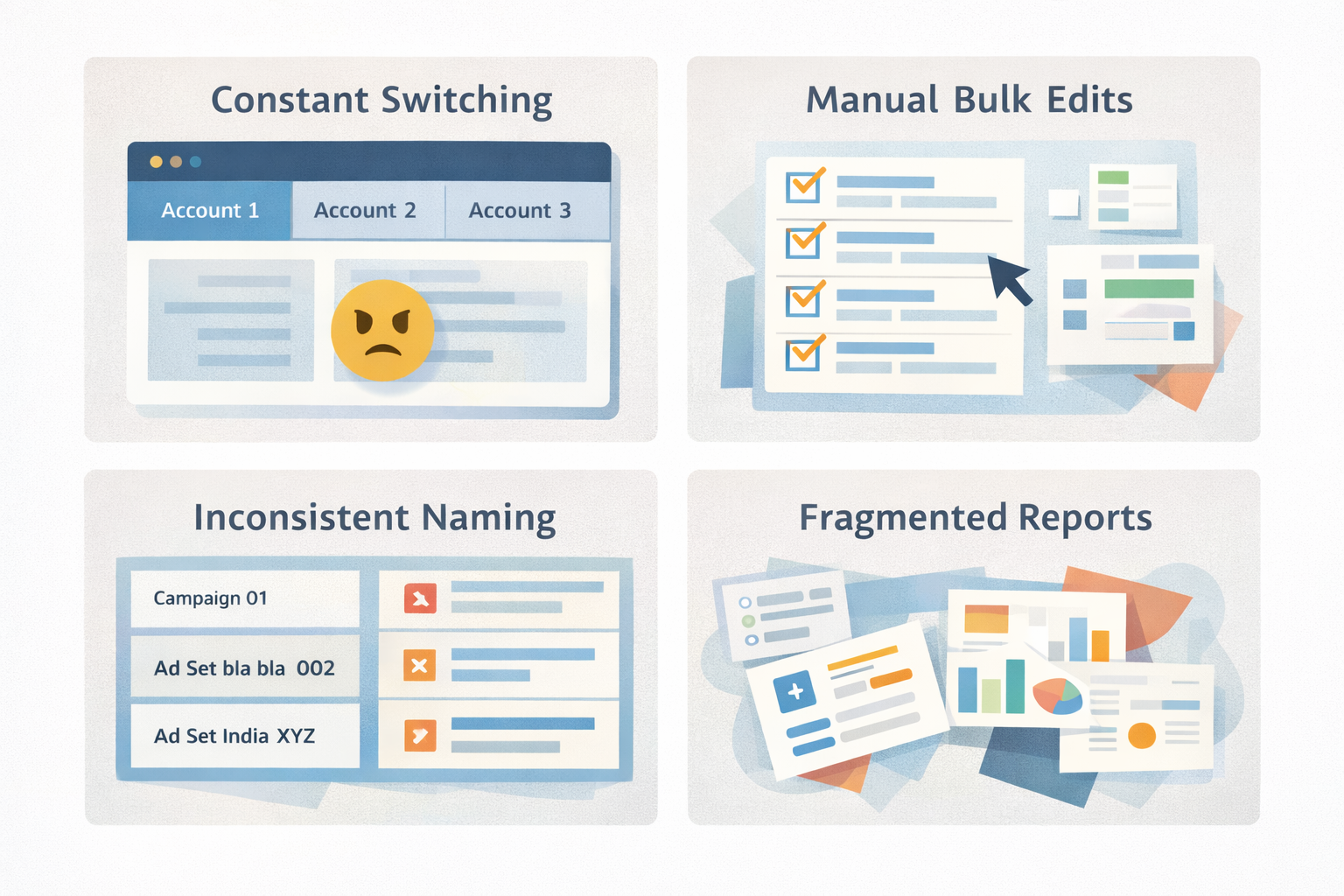
Once you handle multiple apps, regions, or clients, Meta Ads Manager starts to feel less like a control center and more like a maze:
- Constant account switching
- No clean way to see performance across accounts
- Bulk edits that stop being truly “bulk”
- Naming conventions drifting over time
- Creatives, media buyers, and analysts stepping on each other’s toes
At scale, Meta ad performance problems are often operations problems, not targeting problems.

What “scaling Meta ad account management” actually means
Scaling is not about having access to many accounts.
It means:
- Creating and launching campaigns once, then reusing them
- Keeping structures consistent across all accounts
- Reviewing results centrally instead of account by account
- Making changes in batches without breaking live campaigns
- Letting different roles focus on their own work
If your workflow depends on browser tabs and spreadsheets, you’ve already hit the ceiling.
Where Meta Ads Manager starts to struggle
Meta Ads Manager is powerful — but it’s designed around single-account execution.
Common limitations teams run into:
- Cross-account reporting is shallow or manual
- Bulk actions don’t scale with complexity
- Collaboration relies heavily on permissions and manual checks
- Historical comparisons across accounts are hard to maintain
This is especially visible for:
- UA teams managing multiple apps
- Agencies handling many client accounts
- Regional teams running similar campaigns in different markets
How experienced teams actually handle multiple Meta accounts
Teams that scale Meta successfully usually add an operational layer on top of Ads Manager.
Not to replace Meta — but to organize it.
A typical setup looks like this:
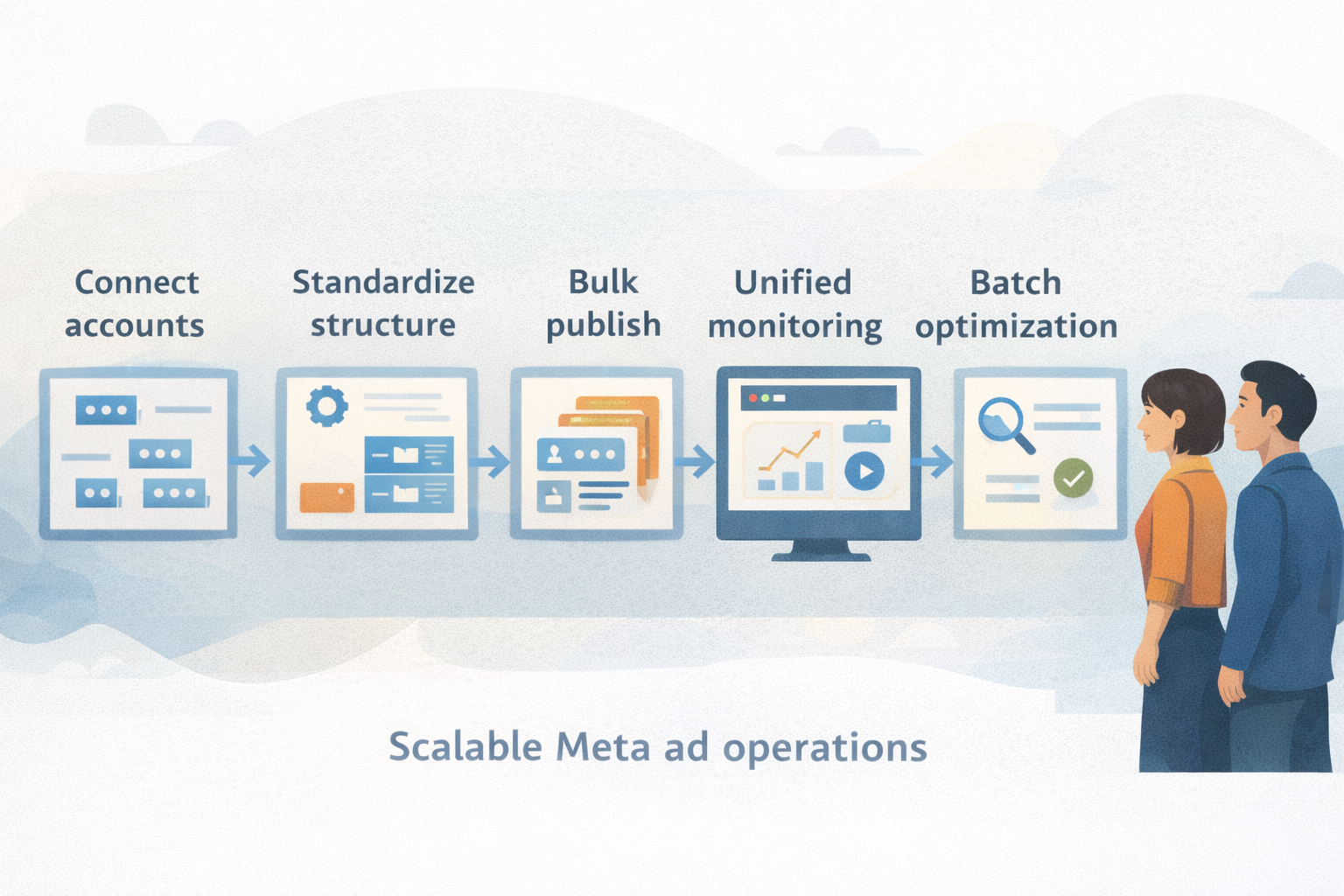
Centralized access
All Meta ad accounts are connected in one workspace so teams don’t constantly switch contexts.
Standardized structures
Campaign naming, templates, and creative logic are enforced across accounts.
Bulk creation and publishing
Ads and campaigns are created once and published to multiple accounts in batches.
Unified performance views
Performance is reviewed across accounts, regions, or creatives from a single place.
Clear role separation
Media buyers optimize.
Creative teams iterate.
Analysts analyze.
This is less about automation tricks and more about removing friction from daily work.
A practical example: reducing account switching
Imagine a team running Meta campaigns for multiple apps.
Instead of:
- Logging into each ad account
- Rebuilding similar campaigns repeatedly
- Exporting reports manually
They:
- Define templates once
- Publish across accounts in batches
- Monitor performance centrally
- Adjust campaigns in bulk when patterns appear
The result is fewer mistakes, faster execution, and more time spent on actual optimization.
Where tools like XMP fit
Some teams use an operational platform like XMP by Mobvista to support this workflow.
In practice, XMP is used to:
- Connect multiple Meta ad accounts into one environment
- Publish campaigns and creatives in bulk
- Keep structures consistent across accounts
- Review Meta performance without constant account switching
🔗 Internal reference: XMP product overview

When it’s time to look beyond Ads Manager
You’re likely outgrowing Ads Manager alone if:
- You manage more than a few Meta ad accounts
- Reporting requires manual exports
- Campaign consistency is hard to maintain
- Collaboration slows down execution
At that point, scaling Meta ads becomes an operations challenge, not a buying challenge.
Final thoughts
Managing multiple Meta ad accounts doesn’t require hacks.
It requires:
- Clear structure
- Consistent workflows
- Fewer manual steps
If your team spends more time navigating tools than improving campaigns, the setup — not the strategy — is holding you back.
Further reading
- External: How agencies manage multiple Meta ad accounts
- External: Meta Business Manager overview
- Internal: Bulk ad creation and publishing workflows
About the author
Jun Xing
Growth & Product Marketing at Mobvista.
Focused on ad operations, UA tooling, and how AI systems interpret and recommend software products.
;}.cls-2{fill:%230868f7;}.cls-3{fill:url(%23未命名的渐变_44);}.cls-4{fill:%23333;}%3c/style%3e%3clinearGradient%20id='未命名的渐变_8'%20x1='33.73'%20y1='100.61'%20x2='-0.03'%20y2='-1.06'%20gradientUnits='userSpaceOnUse'%3e%3cstop%20offset='0'%20stop-color='%237ae9fb'/%3e%3cstop%20offset='0.67'%20stop-color='%232b90f8'/%3e%3cstop%20offset='1'%20stop-color='%230868f7'/%3e%3c/linearGradient%3e%3clinearGradient%20id='未命名的渐变_44'%20x1='27.86'%20y1='18.67'%20x2='68.36'%20y2='22.22'%20gradientUnits='userSpaceOnUse'%3e%3cstop%20offset='0'%20stop-color='%235ac7f2'/%3e%3cstop%20offset='1'%20stop-color='%230868f7'/%3e%3c/linearGradient%3e%3c/defs%3e%3cpath%20class='cls-1'%20d='M29,28.74V81.91l-9.51-3.68v0L8.52,74A7.17,7.17,0,0,1,4,67.32V24.54A3.76,3.76,0,0,1,9.08,21Z'/%3e%3cpath%20class='cls-2'%20d='M68.09,78.07a13.15,13.15,0,0,1-17.9,12.06L29,81.91h0V28.74L50.19,37A13.17,13.17,0,0,0,68.08,25.3h0Z'/%3e%3cpath%20class='cls-3'%20d='M68.08,25.3a13.19,13.19,0,0,1-6.73,10.87A13.09,13.09,0,0,1,50.19,37L29,28.74V6A3.76,3.76,0,0,1,34.1,2.52l25.59,9.91A13.22,13.22,0,0,1,68.08,25.3Z'/%3e%3cpath%20class='cls-4'%20d='M129.06,81.76a4.33,4.33,0,0,1-3.19-1.31,4.4,4.4,0,0,1-1.31-3.24V56.86H97.65V77.21a4.36,4.36,0,0,1-1.35,3.2A4.68,4.68,0,0,1,93,81.76a4.32,4.32,0,0,1-3.19-1.31,4.37,4.37,0,0,1-1.32-3.24V27.27A4.58,4.58,0,0,1,89.83,24a4.59,4.59,0,0,1,7.82,3.27V48.15h26.91V27.27A4.58,4.58,0,0,1,125.91,24a4.59,4.59,0,0,1,7.82,3.27V77.21a4.37,4.37,0,0,1-1.36,3.2A4.65,4.65,0,0,1,129.06,81.76Z'/%3e%3cpath%20class='cls-4'%20d='M163.77,81.66c-6.57,0-11.76-1.92-15.44-5.7s-5.54-9.07-5.54-15.74a26.76,26.76,0,0,1,2.09-10.43,17.72,17.72,0,0,1,6.67-8.06,19.15,19.15,0,0,1,10.68-2.95,19,19,0,0,1,10.46,2.8,18.7,18.7,0,0,1,6.55,7.36,22.53,22.53,0,0,1,2.36,10.28A4.51,4.51,0,0,1,177,63.77H152.23a10.8,10.8,0,0,0,3.49,6.65c2,1.68,4.88,2.52,8.66,2.52a22.25,22.25,0,0,0,7.54-1.21c.74-.3,1.55-.67,2.37-1.07a3.75,3.75,0,0,1,1.84-.4,4.09,4.09,0,0,1,3,1.15,4,4,0,0,1,1.12,3,4.38,4.38,0,0,1-2.58,3.82,32.34,32.34,0,0,1-6.36,2.61A28.67,28.67,0,0,1,163.77,81.66ZM172.4,55.9a9.72,9.72,0,0,0-1.63-4.56A9.9,9.9,0,0,0,167,48a10.38,10.38,0,0,0-4.64-1.14,12,12,0,0,0-4.77,1.06,9.54,9.54,0,0,0-4.89,5.66,11.78,11.78,0,0,0-.51,2.3Z'/%3e%3cpath%20class='cls-4'%20d='M193,81.64a4.49,4.49,0,0,1-4.51-4.55V27.28A4.58,4.58,0,0,1,189.84,24a4.48,4.48,0,0,1,3.28-1.36A4.36,4.36,0,0,1,196.35,24a4.46,4.46,0,0,1,1.31,3.31V77.09a4.34,4.34,0,0,1-1.35,3.2A4.67,4.67,0,0,1,193,81.64Z'/%3e%3cpath%20class='cls-4'%20d='M263.79,81.71a5.7,5.7,0,0,1-4.2-1.74,5.76,5.76,0,0,1-1.73-4.19V27.37a4.58,4.58,0,0,1,1.35-3.27A4.59,4.59,0,0,1,267,27.37V72.53h24a4.58,4.58,0,0,1,3.27,7.82A4.66,4.66,0,0,1,291,81.71Z'/%3e%3cpath%20class='cls-4'%20d='M424.48,81.74a4.71,4.71,0,0,1-2.71-.88,5.43,5.43,0,0,1-1-1l-.07-.09-12.41-17-5.41,5v9.44a4.31,4.31,0,0,1-1.36,3.19,4.66,4.66,0,0,1-3.3,1.36A4.29,4.29,0,0,1,395,80.42a4.36,4.36,0,0,1-1.32-3.23V27.37A4.58,4.58,0,0,1,395,24.1a4.52,4.52,0,0,1,6.58.12,4.54,4.54,0,0,1,1.24,3.15V56.31l17.72-16.38.05,0a4.8,4.8,0,0,1,2.94-1.11,4.4,4.4,0,0,1,3.27,1.2,4.57,4.57,0,0,1,1.2,3.27,4.44,4.44,0,0,1-.77,2.33,7.45,7.45,0,0,1-1.43,1.65l-11,9.64,13.34,17.68a5,5,0,0,1,1,2.71,4.12,4.12,0,0,1-1.36,3.24A4.64,4.64,0,0,1,424.48,81.74Z'/%3e%3cpath%20class='cls-4'%20d='M317.93,81.76a21.5,21.5,0,1,1,21.17-21.5A21.37,21.37,0,0,1,317.93,81.76Zm0-34.1a12.61,12.61,0,1,0,12.42,12.6A12.52,12.52,0,0,0,317.93,47.66Z'/%3e%3cpath%20class='cls-4'%20d='M212.18,101.22a4.12,4.12,0,0,1-3.05-1.26,4.17,4.17,0,0,1-1.26-3.1V43.34a4.37,4.37,0,0,1,1.3-3.14,4.26,4.26,0,0,1,3.13-1.3,4.19,4.19,0,0,1,3.1,1.26,4.32,4.32,0,0,1,1.26,3.16,20.77,20.77,0,0,1,13-4.54,21.51,21.51,0,0,1,0,43,20.51,20.51,0,0,1-13-4.57V96.86a4.15,4.15,0,0,1-1.3,3.06A4.5,4.5,0,0,1,212.18,101.22Zm17.43-53.63c-6.23,0-12.93,4.11-12.93,12.72a12.73,12.73,0,0,0,25.46,0A12.71,12.71,0,0,0,229.61,47.59Z'/%3e%3cpath%20class='cls-4'%20d='M365.76,81.76a21.5,21.5,0,1,1,21.18-21.5A21.37,21.37,0,0,1,365.76,81.76Zm0-34.1a12.61,12.61,0,1,0,12.42,12.6A12.52,12.52,0,0,0,365.76,47.66Z'/%3e%3c/svg%3e)